


Managing Team members
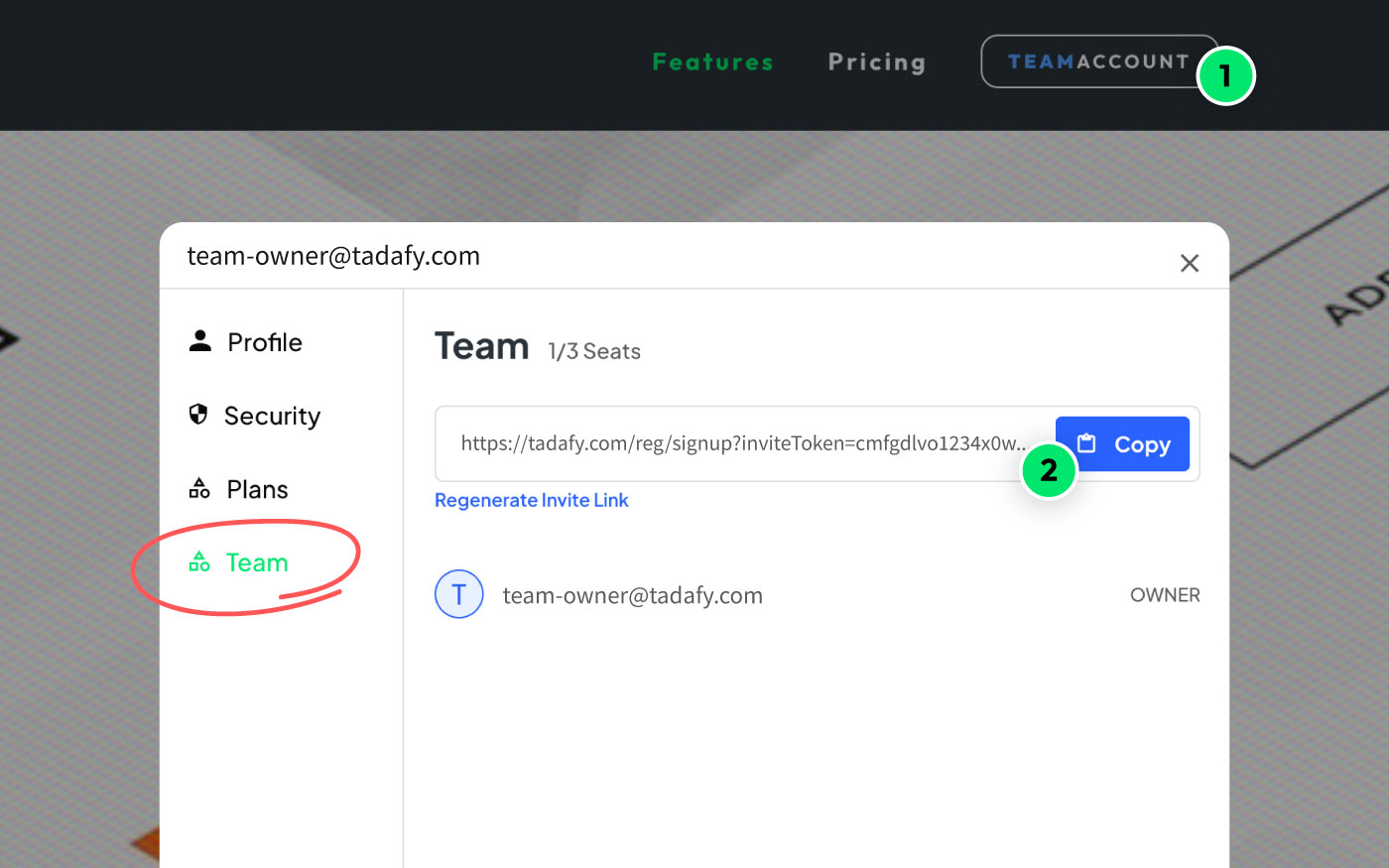
Once you’ve joined the Team plan (as a Team plan owner!), everything is managed through the Profile modal.
- 1Open your Profile modal from the navbar
- 2Select the “Team” tab and copy your Invite link
- 3Share the Invite link with your team members
- !Only the Team plan owner can invite members. If they already have a Free account, they’ll be added to the plan when they click the link. If not, they’ll first need to create a (Free) account – then they’ll be automatically added.
- 4Managing team members
The Team plan owner can view and remove team members in the “Team” tab of the Profile modal.
Stay tuned! Get the latest updates straight to your inbox — once a month.
Thank you! Your submission has been received!
Oops! Something went wrong while submitting the form.



Copyright © 2026 Tadafy. All rights reserved.