


Icon replacement
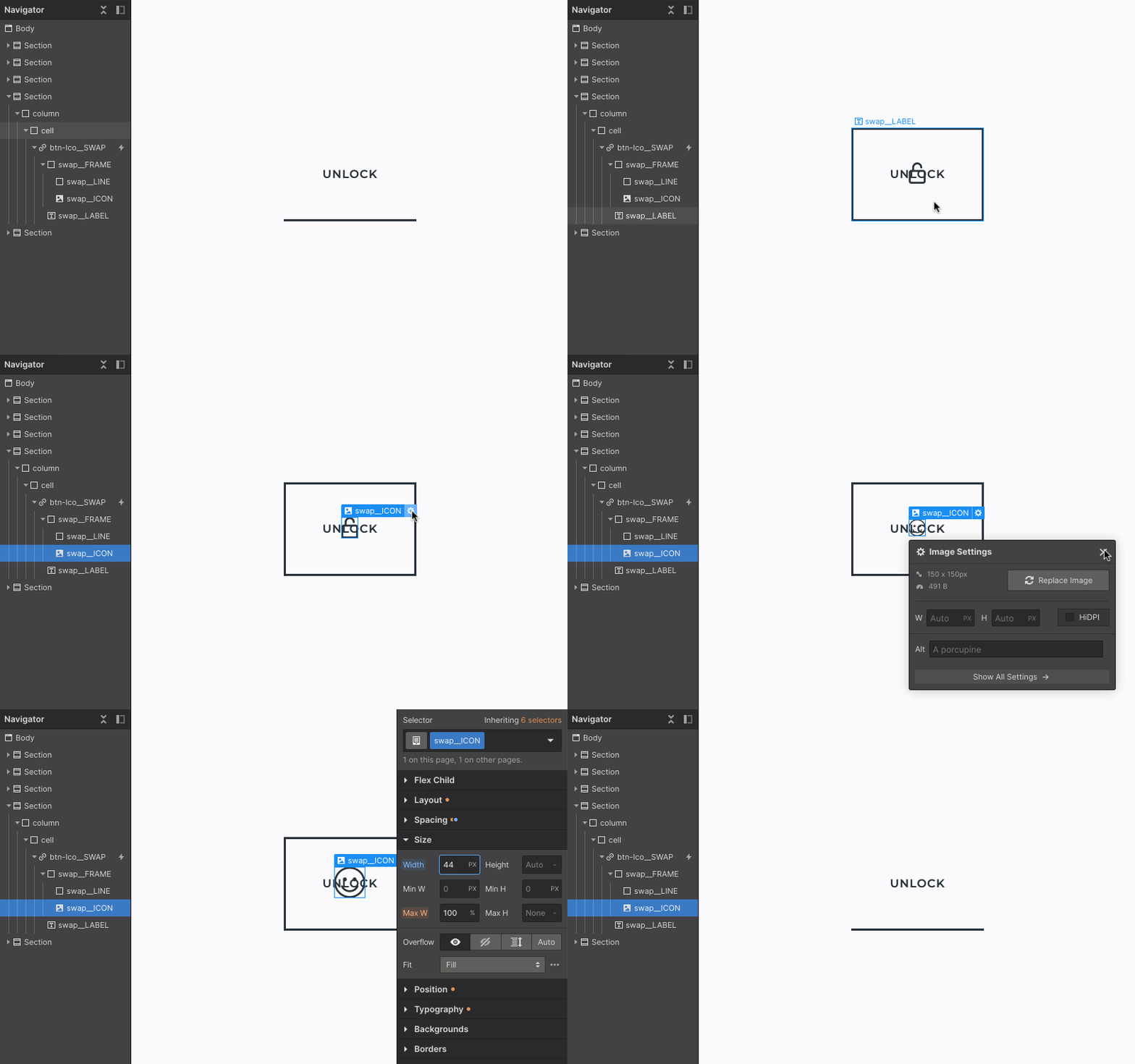
You can replace any button icon with your own custom icon from the Asset Panel.
- 1Select the image element inside the chosen button.
- 2Click the Replace Image button under Image Settings — this will open the Asset Panel.
- 3Choose an existing icon or upload a new one.
- 4Set the desired icon size.
Stay tuned! Get the latest updates straight to your inbox — once a month.
Thank you! Your submission has been received!
Oops! Something went wrong while submitting the form.



Copyright © 2026 Tadafy. All rights reserved.